
Graphical Pre- and Post-processing Software
Design Studio for GENESIS is a design oriented pre- and post-processor graphical interface for the GENESIS Structural Analysis and Optimization Software. Design Studio allows users to display finite element models and to easily create GENESIS design data. It allows users to display analysis as well as optimization results.
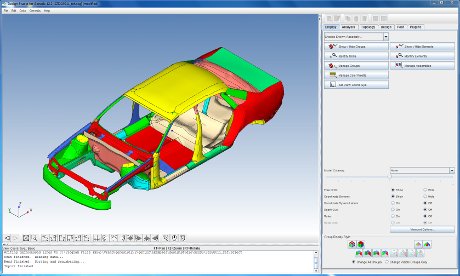
Easy and fast to create GENESIS data
- Built-in trails makes it easy to create objectives and constraints
- Built-in trails makes it easy to parameterize the model
Easy and fast to post-process
- Contour plots and animations for stress, displacement, thickness, etc.
- Deformed shape plots and animations
- Displays simultaneously deformation and contours
- On the fly isodensities for topology
- Frequency response plots
Helps to create reports and presentations
- Allows making pictures (png format)
- Allows creating animations (gif format)
- Catalogs of views to create pictures with same orientations
- Back and forward buttons to return to previous view
- Color control for printings
Task Oriented – just follow built-in trails (wizards) for design tasks.
Multitask – in Design Studio multiple tasks can be performed simultaneously without abandoning the current trail (e.g., add a design variable while creating perturbation vectors).
Easy Selections – Design Studio is designed to easily select all quantities needed in optimization such as grids, elements, properties, etc.
Powerful Filters – in Design Studio limit list of data to what is necessary (taking out unnecessary guesses).
Modern Architecture – Design Studio incorporates modern architecture such as undo, redo, cut, paste, back, forward, etc.